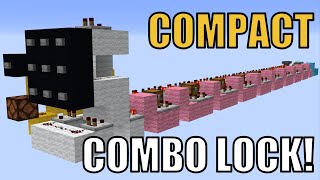
Video: Minecraft Combination Lock [Bedrock/Java] by CraftysBunker and CraftyMasterman
How to build it
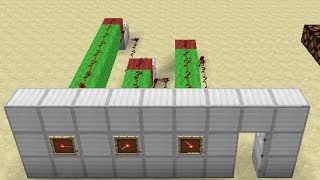
- Build the 3x3 Button Panel
Create a 3x3 wall of solid building blocks and place 9 buttons on the front. Clear out a 5x3 space behind the panel for your input wiring.
- Wire Behind the Buttons
On the back of the 3x3 wall, place a horizontal row of 3 blocks behind the middle row of buttons and another row of 3 blocks below the bottom row. Place redstone dust on top of both rows, plus 3 dust directly on top of the 3x3 wall so every button powers a dust line.
- Create the Signal Strength Ladder
Step the three rows of redstone dust down one side using blocks, dust, and 4 comparators so that all three rows merge into a single downward line. Because each button is a different distance from the output comparator, each button will output a unique signal strength (from 6 to 14).
- Add the Monostable Circuit
At the bottom of the panel wiring, build a 2x3 platform. Place a comparator in subtract mode (front torch lit) facing out from the panel's output, run dust behind it into a 2-tick repeater (3 ticks on Bedrock), and loop 2 redstone dust back into the side of that subtract comparator.
- Build the Signal Distribution Spine
From the button panel's output comparator, lay out a straight line of modules (1 block + 1 comparator per digit; for a 6-digit lock, place 6 blocks with comparators in between, omitting the final comparator). Attach a redstone torch to the side of each of those blocks.
- Add Subtract Comparators and Barrels
Directly beneath each torch from the previous step, place a solid block with redstone dust on top. Next to each of those dust blocks, place a comparator in subtract mode facing into the module, with a barrel directly behind each subtract comparator.
- Place the Module Output Torches
Place a solid block to the side of each barrel (in front of the subtract comparators) with a piece of redstone dust on top, and place a solid block directly in front of the very last subtract comparator. Attach a redstone torch to the side of each of those dust-topped blocks.
- Connect the Reset Line and Locking Repeaters
Run a line of blocks across the top of the modules, placing a block directly in front of every torch you just placed. Step up from the dust lines and place 1-tick repeaters (2 ticks on Bedrock) running from module to module, then place a repeater in front of each torch pointing directly into the side of the chain repeaters to lock them.
- Measure Your Button Signal Strengths
Temporarily swap your buttons for levers. Flip one lever at a time and check the signal strength entering the lock modules (using the F3 debug screen in Java or by counting power levels).
- Encode the Combination in the Barrels
Fill each barrel with items so that its comparator outputs a signal strength equal to your desired button's signal strength PLUS ONE (for example, if your first digit's button gives strength 8, fill the first digit's barrel to output strength 9). Remember to work from the far end of the lock toward the front depending on which direction your repeater chain flows.
- Add the Output and Test
Replace the levers with buttons and place a block with a redstone torch at the end of the final repeater to invert the output into a redstone lamp or door. Press any random button to reset the lock, then enter your combination in order to unlock it.
How it works
This combination lock relies on signal strength comparison and repeater locking to verify both the digits and the exact order in which they are pressed:
- Unique Signal Inputs: The 3x3 button panel is wired so each button is one extra block away from the output comparator, generating a unique signal strength from 6 to 14.
- 2-Tick Monostable Pulse: When a button is pressed, the subtract-mode comparator monostable cuts the signal into a crisp pulse that travels down the side of every module's subtract comparator simultaneously.
- Exact Match Detection: Each barrel is filled to output
Target Signal + 1.- If the pressed button's signal is too high (equal to or greater than the barrel), the subtract comparator outputs
0. The side torch stays ON and locks the repeater, preventing progress. - If the pressed button's signal is too low (2 or more below the barrel), the subtract comparator outputs
2 or higher. This signal reaches both the torch block AND the reset dust line, resetting the progress of the lock. - If the pressed button is the exact right digit (1 below the barrel), the subtract comparator outputs a signal strength of exactly
1. This turns OFF the locking torch without powering the second dust piece, briefly unlocking the repeater so theOFFstate can advance to the next digit module.
- If the pressed button's signal is too high (equal to or greater than the barrel), the subtract comparator outputs
Tips & variations
- Bedrock Edition Tweaks: Due to repeater and torch timing differences on Bedrock Edition, change the repeater in the input monostable circuit from 2 ticks to 3 ticks, and change all the top repeaters between the modules from 1 tick to 2 ticks.
- Older Versions (1.5 to 1.13): If you are playing in a version before Barrels were added, use Furnaces instead. They are solid container blocks and work identically.
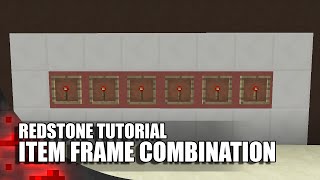
- Alternative Inputs: You don't have to use a 3x3 button panel! Any contraption that outputs varying signal strengths—such as a Lectern with a multi-page book, an Item Frame, or a 14-button panel—can be connected to the monostable input.
- Auto-Reset on Any Press: Once unlocked, pressing any button on the keypad will automatically re-lock the output.