
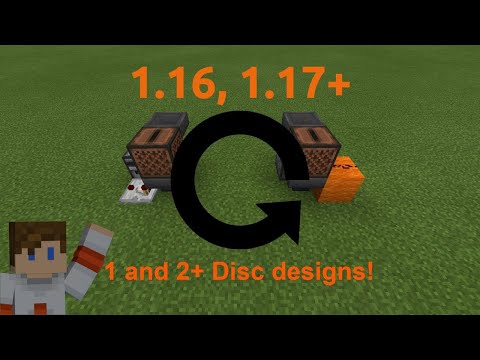
Video: Automatic Jukebox Tutorial | 1 and 2+ disc designs | Most Compact Possible? | Bedrock Edition only by Kilo Mike Delta
How to build it
- Place the Dropper and Lower Hopper
Start by placing a dropper facing straight up. Attach a hopper feeding directly into the side of that dropper.
- Add the Jukebox and Upper Hopper
Crouch and place your jukebox directly on top of the lower hopper. Then place a second hopper directly above the upward-facing dropper so that its nozzle feeds sideways into the jukebox.
- Wire the Multi-Disc Trigger
For the 2+ disc looper, place a solid building block next to the jukebox, put a piece of redstone dust on top of that block, and attach a redstone torch to the side of the block so it can power the dropper when inverted.
- Load Your Music Discs
Insert one music disc directly into the jukebox to start the music, and place at least one more music disc inside the dropper.
- Add the Optional On/Off Switch
To pause the player between tracks, place a solid block adjacent to the upper hopper and attach a lever to it. Flipping the lever on locks the upper hopper so the next disc cannot enter the jukebox.
- Alternative: 1-Disc Looper Setup
If you only want to repeat a single disc, build the exact same 2x2 core of dropper, jukebox, and two hoppers, but leave off the redstone torch.
- Wire the 1-Disc Detection Circuit
Place a comparator reading out of the lower hopper into a solid block. Place an observer looking at the comparator and put a piece of redstone dust to carry the observer's pulse to the dropper; you can add a solid block with a lever on top of the observer as an on/off switch.
How it works
Both circuits rely on Bedrock Edition's hopper and jukebox mechanics:
- Active Playback Lock: While a jukebox is actively playing a disc, it emits a direct redstone signal. This signal powers the solid block next to it (with the redstone dust on top) and automatically locks the lower hopper underneath the jukebox so the disc isn't pulled out early.
- Multi-Disc Cycle: While the jukebox plays, the powered block keeps the attached
redstone torchturned off. The moment the song ends, the jukebox stops emitting power: the lower hopper unlocks to pull the finished disc into the dropper, and the redstone torch turns back on, firing the dropper to push the next disc into the upper hopper and back into the jukebox. - Single-Disc Cycle: With only one disc, firing the dropper immediately when the song ends is too fast because the disc hasn't reached the dropper yet. Instead, the
comparatordetects the disc passing through the lower hopper, and theobserverwatches that state change to fire a pulse into the dropper right after the disc arrives.
Tips & variations
- Bedrock Exclusive: This specific compact wiring relies on jukeboxes emitting a redstone signal directly while playing and interacting with adjacent dust/hoppers in a way that only works on Minecraft Bedrock Edition.
- Pausing Playback: Turning the lever on locks the top hopper. The current song will finish playing and drain into the system, and the jukebox will stay quiet until you flip the lever off again.
- Minimum Discs: Make sure you have at least two discs in the torch-based design; if you only have one disc, use the comparator and observer variant so the dropper doesn't fire while empty.


