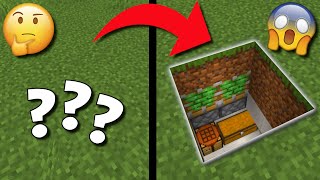
Video: How To Make Automatic Door In Minecraft - Full Guide by GuideRealm
How to build it
- Dig the Central Trench
Choose where your doorway will stand and dig a trench 2 blocks deep directly underneath the door frame. Expand this 2-block-deep hole by digging out the blocks directly in front of and behind the doorway.
- Extend the Side Trenches
From the center hole, dig out 2 blocks to the left and 2 blocks to the right at the same 2-block depth. Then dig one more block outward on each end, leaving just the bottom block raised by one level like a step.
- Lay the Redstone Dust
Cover the floor of the 2-block-deep trench with redstone dust, connecting the central area beneath the pressure plates all the way to the raised step blocks on both sides.
- Place Redstone Torches and Blocks
Place one redstone torch on top of the raised block at the far left end, and another on the far right end. Place a solid building block directly on top of each redstone torch.
- Install the Sticky Pistons
On both sides, place a sticky piston against the solid block you just placed over the torch, facing inward toward the center doorway. Place a second sticky piston directly on top of the first one, also facing inward; both pistons on each side should immediately extend.
- Add the Door Blocks and Floor
Cover up the open trench with solid building blocks to restore your floor. Place your chosen door blocks (4 in total) onto the sticky faces of the extended pistons.
- Place the Pressure Plates
Place two pressure plates on the floor right in front of the door, and two more on the floor directly behind the door. Step on the plates to test your automatic door.
How it works
This circuit operates as a dual NOT gate (inverter) keeping the door closed by default:
- Default State (Closed): The two underground
redstone-torchcomponents are naturally lit. Each torch powers the bottomsticky-pistonadjacent to it and strongly powers the solid block above it, which in turn powers the topsticky-piston. With all four pistons extended, the 2x2 door stays shut. - Activated State (Open): Stepping on any of the
pressure-plateinputs sends a redstone signal through the floor block into theredstone-dustline below. This dust powers the blocks that the redstone torches are standing on, inverting their state and turning the torches off. - When the torches turn off, both the top and bottom sticky pistons lose power and retract, pulling the door blocks open until you step off the plates.
Tips & variations
- Use Sticky Pistons: Even though people often just say "pistons", you must use sticky pistons so the door blocks are pulled back when the circuit turns off.
- Mob Security: Wooden pressure plates can be triggered by dropped items and all mobs. Use stone pressure plates on the inside and consider a button or lever on the outside if you want to prevent creepers or zombies from walking into your base.
- Block Choice: Do not use glass, slabs, or glowstone for the block directly above the redstone torches or directly under the pressure plates, as transparent blocks cannot transmit redstone power this way.