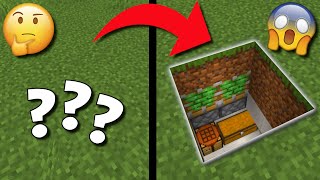
Video: Minecraft 2x2 Piston Door (Super Easy!) by Robs Mind
How to build it
- Place the Door and Pistons
Start by placing your 4 door blocks in a 2x2 shape. Leave a one-block gap on both the left and right sides, and place 2 vertically stacked sticky pistons on each side facing the door blocks.
- Power the Pistons
Behind each pair of sticky pistons, dig down one block and place a circuit block in the hole with a redstone torch on top of it. Place a solid block directly above each redstone torch, and put a piece of redstone dust on top of those solid blocks to extend all four pistons.
- Build the Door Frame and Inputs
Build a decorative frame around the door to hide the pistons and connect it across the top. On the front (outside) of the frame, place your button at eye level; on the back (inside), lay down floor blocks and place two pressure plates right in front of the door.
- Connect the Torch Towers Underground
On the inside of the door, dig a trench underneath the floor to expose the two recessed circuit blocks holding your redstone torches. Run a line of redstone dust along the bottom of the trench to link those two blocks together.
- Wire the Inside Pressure Plates
Locate the two floor blocks directly underneath your pressure plates. Place circuit blocks underneath them with redstone dust on top so that stepping on the plates feeds power directly into the underground redstone line, then cover the floor back up.
- Connect the Outside Button
Go to the front of the door and dig down below the wall block holding your button. Dig a staircase path into the underground redstone line, making sure not to place any blocks that would cut off the diagonal redstone dust connection.
- Close Up and Test
Run redstone dust from the block beneath your button down into the main underground line, then cover up the front floor. Press the button to enter and walk over the inside pressure plates to test that both sides open the door smoothly.
How it works
This door works using inverted redstone signals (NOT gates) on either side of the doorway:
- Default State (Closed): Each side has an underground block with a Redstone Torch on top. The torch directly powers the bottom sticky piston and strongly powers the solid block above it. The Redstone Dust on top of that block powers the top sticky piston, keeping the 2x2 door closed by default.
- Opening from Inside: Stepping on the Pressure Plates powers the floor blocks beneath them, energizing the redstone dust directly below. This sends a signal through the underground redstone line into the two blocks holding the redstone torches.
- Opening from Outside: Pressing the Button sends a pulse down the staircase wiring into the exact same underground redstone line.
- Signal Inversion: When the blocks holding the redstone torches receive power from either the button or the plates, the torches turn off. Both pairs of sticky pistons immediately retract and pull the door blocks open until the button pulse ends or you step off the plates.
Tips & variations
- Don't Cut the Wire: When wiring the button on the front, make sure there is a two-block vertical gap above any redstone dust stepping down a block. Placing a solid floor block directly over a step in the dust will sever the connection.
- Button Types: Use a Wooden Button if you want the door to stay open slightly longer (1.5 seconds) compared to a Stone Button (1 second), giving you more time to walk through.
- Mob Proofing: Because the outside uses a button instead of pressure plates, zombies, creepers, and animals cannot accidentally open your base door by walking near it.