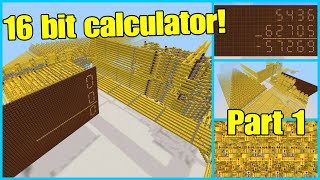
Video: INSANE!!!! Minecraft Redstone Calculator (Adds and Multiplies!!!) - 1.8 by The Able Danger
How to build it
- Build the User Input Panel
Create an input control board with levers for each single-digit number (1 through 9) for your two operands. Add an extra mode-select lever that switches the calculator between addition and multiplication modes.
- Construct the AND Gate Logic Array
In the center of your build area, construct a grid of AND gates corresponding to your input combinations. Place two redstone torches on top of a 3-block wide structure with redstone dust between them and an output torch on the front face so the output only activates when both inputs are powered.
- Wire Inputs to the Logic Gates
Run insulated redstone dust lines from the user input levers to their respective AND gates in the middle section. Use redstone repeaters every 15 blocks to maintain signal strength across the large hardware footprint.
- Build the Decimal Converter Bus
Below the logic gate section, lay out parallel redstone lines on the ground with blocks and redstone torches mounted along the sides. Connect each calculated answer from the AND gate array to its matching line so that each result triggers a unique output bus.
- Construct the Seven-Segment Display
Build a vertical display wall for the tens and ones digits using seven distinct light segments per digit. Arrange the segments in a figure-eight pattern so that powering different combinations of the seven inputs forms any number from 0 to 9.
- Connect the Decoder to the Display Backplane
Route the output lines from the decimal converter into the seven individual input ports behind each digit of the display. Carefully separate the compact wiring behind the display with solid blocks so adjacent segment lines do not cross-talk.
How it works
This calculator uses combinational logic rather than binary arithmetic to solve single-digit addition and multiplication:
- User Input: Flipping two number levers and the operation switch sends steady redstone signals into the central processing grid.
- AND Logic Gates: Each AND gate holds two redstone torches on top of solid blocks powering a central redstone dust dot, which keeps a third output torch turned off. Only when both input lines are powered do the top torches turn off, allowing the central dust to depower and the front output torch to turn on.
- Decimal Decoder: The active AND gate powers a specific line in the converter section. Redstone torches placed along the stone lines invert and split this single answer signal into the exact combination of lines needed to draw the numerals.
- Seven-Segment Display: The back of each digit has seven separate power ports (top, middle, bottom, upper-left, lower-left, upper-right, lower-right). Powering specific ports lights up the segments on the front wall to show results like
5,24, or72.
Tips & variations
- Keep Display Wiring Separated: The back of a 7-segment display is very cramped. Use repeaters and solid blocks to insulate the seven input lines so they do not accidentally connect to neighboring segments.
- Signal Delay: Because the wiring covers a large area with many repeaters, wait a brief moment after flipping the switches for the signal to travel through the AND gates, decoder, and display.
- Resetting Inputs: Remember to flip your previous number levers off before entering a new equation, otherwise multiple logic gates will activate at the same time and scramble the display.