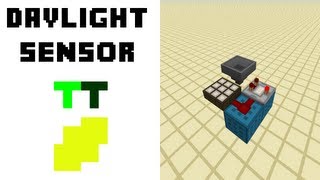
Video: (1.17+) How To Make A WORKING Redstone CLOCK In Minecraft!!! - Day/Night Clock Tutorial by Farzy
How to build it
- Place the Redstone Lamp Display
Choose a wall inside your base or cave and place a horizontal row of Redstone Lamps. Using between 5 and 10 lamps works well; more lamps give you more gradual light and sound notifications as night approaches.
- Run Redstone Dust Behind the Lamps
Excavate a space behind your lamp wall and place a row of solid blocks directly behind the lamps. Lay a continuous line of Redstone Dust across these blocks so it runs directly alongside every lamp.
- Install and Invert the Daylight Detector
At one end of the redstone dust line, place a Daylight Detector directly adjacent to the first piece of dust. Dig a 1x1 vertical shaft straight up to the surface above the detector so it has unobstructed sky access (you can seal the shaft with glass), then right-click/interact with the detector once to turn it blue (inverted night mode).
- Add Repeaters Behind the Dust Line
Clear out two more rows of space behind your redstone dust line. Place a Redstone Repeater behind every single piece of redstone dust, facing away from the dust and lamps.
- Place Instrument Blocks and Note Blocks
In the row directly in front of the repeaters' outputs, dig down one block and place your chosen instrument blocks—such as Clay for a flute sound, Gold Blocks for a bell, or Bone Blocks for a xylophone. Place a Note Block on top of each instrument block so every repeater points directly into a Note Block.
- Tune the Note Blocks in Ascending Order
Make sure there is at least one air block directly above each Note Block so it can play. Starting from the side closest to the Daylight Detector, leave the first Note Block untuned (0 clicks), hit the second Note Block once, the third twice, the fourth three times, and continue increasing by one click down the line to create an ascending chime as it gets darker.
How it works
This circuit relies on the analog signal strength output of an inverted Daylight Detector:
- Inverted Daylight Detection: When switched to its blue night mode, the Daylight Detector outputs a stronger redstone signal the darker the sky becomes outside.
- Signal Strength Decay: As the signal travels down the line of
Redstone Dustbehind the lamps, its strength decreases by 1 for each block traveled. - Sequential Activation: As sunset begins, only the first few dust blocks closest to the detector receive power, lighting the first few
Redstone Lamps. Each time the sky darkens enough to boost the detector's output by 1 level, the power reaches one block further down the line. - Audio Chimes: Every time a new piece of redstone dust becomes powered, it activates the adjacent
Redstone Repeater, which fires a rising-edge pulse into itsNote Block. Because the note blocks are tuned sequentially higher, a higher pitch alerts you that night is almost fully upon you.
Tips & variations
- Keep Air Above Note Blocks: Note blocks must have an air block directly above them to produce sound. If you build this underground, remembers to hollow out the block above the note block row.
- Custom Instruments: Change the blocks underneath the note blocks to customize the alert sound: Clay makes a flute sound, Gold Blocks make a bell chime, Bone Blocks make a xylophone sound, and Wool plays a guitar chord.
- Protecting the Sky Shaft: Cap the vertical sky shaft above your Daylight Detector with clear Glass so mobs, rain, or players cannot fall into your redstone wiring while maintaining full sky light access.