
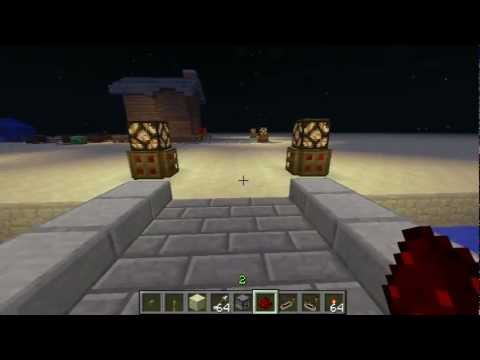
Video: MC-1.8 Tutorial: 3 Dispenser Turret Designs by
How to build it
- Place the Dispenser
Set down your dispenser facing the direction you want to shoot. For the larger variants, arrange 4 dispensers in a 2x2 square or 9 dispensers in a 3x3 wall.
- Add the Comparator
Behind the dispenser, leave room for the wiring and place a redstone comparator. Right-click (or interact with) the comparator once so its front torch lights up, putting it into subtraction mode.
- Create the Feedback Loop
Place three pieces of redstone dust in a tight loop starting from the front output of the comparator and wrapping around directly into one of its side inputs.
- Connect to the Dispenser
Use the fourth piece of redstone dust to connect the front of the comparator loop to the dispenser (or into a solid block adjacent to the dispenser) so the pulsing signal powers it.
- Attach the Power Switch
Place a lever or other constant power source feeding directly into the back input of the comparator. Load the dispenser with ammunition and flick the lever to start firing.
- Optional: Expand to a 2x2 Array
To power a 2x2 wall of dispensers, split the output line from the comparator clock into two branches going behind the dispensers. Place a solid block above the lower redstone dust to cut the vertical connection, forcing both lines to point straight into the dispensers.
- Optional: Expand to a 3x3 Array
For a 3x3 wall, run redstone lines behind the rows of dispensers from the same comparator clock. Again, use solid blocks between the levels to prevent the redstone dust from connecting sideways, ensuring the dust aims directly into the dispensers to trigger all nine at once.
How it works
This turret relies on a comparator subtraction clock, one of the fastest and smallest clocks in Minecraft:
- When you flip the lever, it sends a full signal strength of 15 into the rear of the
redstone-comparator. - The comparator outputs strength 15 from its front. As that signal travels around the 3-dust loop into the comparator's side input, the signal decays slightly (down to 13).
- Because the comparator is in subtraction mode, it subtracts the side input from the back input (15 − 13 = 2) on the next tick.
- An output of 2 is too weak to reach the side input around the loop, so the side input drops back to 0, causing the comparator to output 15 again.
- This rapid oscillation between high and low signal strength creates a 1-tick pulse every 2 redstone ticks, firing the
dispenserat maximum speed.
Tips & variations
- Make sure Subtraction Mode is on: The most common mistake is forgetting to click the comparator. If the small front torch on the comparator is not glowing, the circuit will just stay permanently powered and only fire a single arrow.
- Cut the wires on 2x2 and 3x3 walls: Redstone dust must point directly into a dispenser (or a block powering it) to trigger it. When stacking rows of dust behind a 2x2 or 3x3 array, always place solid blocks above the lower dust lines to prevent the wires from linking together parallel to the wall.
- Automatic triggering: You can replace the lever with a tripwire hook circuit, pressure plate, or daylight detector so the trap activates automatically when an intruder walks into range.


