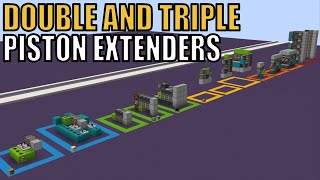
Video: How To Build Double Piston Extenders! [Minecraft Bedrock 1.21] Tutorial by Tomco
How to build it
- Place the Two Sticky Pistons
Place two sticky pistons facing the same direction, one directly in front of the other. Place the block you want to move in front of the second sticky piston.
- Wire the Basic Repeater Timings
To build the standard horizontal layout, create three parallel input paths running into the side of the pistons. Run a 0-tick redstone dust line directly into the space where the front piston gets pushed, a 3-tick repeater into the back sticky piston, and 6 ticks of repeater delay (or an observer looking at a repeater) into the middle sticky piston position.
- Build the Universal Pulse Extender (Optional)
If you need a quick pulse extender that works in any direction (up, down, or sideways), place an observer alongside the pistons that gets pushed simultaneously with the back piston. Activate the input with a button so the moved observer fires a brief pulse to extend and retract the front piston.
- Adapt for Flush Horizontal Walls
To hide the wiring behind a wall, route all dust and repeaters behind the front block position. You can build a 1-block-wide observer and repeater slice behind the pistons and tile it up to 14 blocks wide to create a retractable bridge.
- Adapt for Upward & Downward Extension
For vertical movement, stack the two sticky pistons up or down. For a flush upward floor design, place a redstone torch underneath the floor block so that when the first piston pushes the second piston up, the torch powers the adjacent block to trigger the second extension. If tiling vertical modules side by side, place Target blocks next to the pistons to redirect redstone dust into them.
- Relocate the Input Lever
To move your lever away from the mechanism, locate the main input block and point a redstone repeater directly into it. Run a trail of redstone dust backward from that repeater to your desired lever location, adding an extra repeater every 15 blocks to maintain signal strength.
How it works
A Double Piston Extender relies on a strict order of operations called ABBA timing (first in, last out), combined with a short retrieval pulse at the end:
- Extension: Either the front position is powered right after the back sticky piston pushes the front sticky piston into it, or the back piston pushes the front piston into an already-powered space (such as a block powered by a redstone torch). This moves the target block two spaces out.
- Retraction Step 1: When the lever is turned off, the front sticky piston loses power first (
0 ticks) so it can be moved, pulling the target block back by one space. - Retraction Step 2: Shortly after (
3 ticks), the back sticky piston unpowers and pulls the front sticky piston back to its starting spot. - Final Retrieval Pulse: Finally, at
6 ticks(or when an observer detects its behind-repeater turning off), a brief pulse fires into the middle position. This causes the retracted front piston to reach out, grab the stranded block, and pull it completely flush.
Tips & variations
- Using Target Blocks for Tileable Builds: When stacking upward extenders directly next to each other, a line of redstone dust will normally run straight past the pistons instead of pointing into the blocks beside them. Replacing standard solid blocks with Target blocks forces the dust to redirect into each slice.
- Observer Orientation: When copying observer-based designs, remember that the face detects block updates at the back, while the red dot outputs the redstone pulse at the front.
- Universal Design Limitation: The universal observer design works horizontally, upwards, and downwards without changing the wiring, but it can only pulse out and immediately pull back—it cannot stay extended.
- Bedrock vs. Java: These circuits are built and timed for Minecraft Bedrock 1.21 (Xbox, PlayStation, Switch, PE, Windows). While most repeater and observer layouts also work on Java Edition, the universal designs may behave slightly differently due to update order differences.