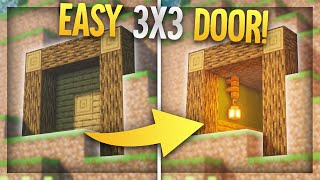
Video: Minecraft Bedrock: New 3x3 PISTON DOOR Tutorial! 1.21 by Tomco
How to build it
- Clear a 9x9x1 Workspace
Clear an area that is 9 blocks long, 9 blocks tall, and 1 block wide. The 3x3 door frame sits centered inside this space, starting 3 blocks above the floor.
- Place the Bottom Droppers and Observers
Go to the center block on the floor and place a dropper. Move two blocks to the right and place a second dropper, then crouch-place an observer to the left of each dropper so both arrows point left; place a solid block in front of the leftmost observer.
- Build the Double Piston Extender
Stack two upward-facing sticky pistons on top of the center dropper. Place redstone dust on top of the right-hand dropper, an upper-half slab to the left of that dust, and a repeater on the upper slab facing left into the bottom sticky piston set to 4 ticks.
- Set Up the Input Block and Right Torch Tower
Place a solid block above the redstone dust and attach a lever to it (this is your main input block). Place a solid block to the right of the right-hand dropper with a 1-tick repeater on top facing right into a block, and put a redstone torch on top of that block.
- Add the Center Block Pusher Assembly
Place a third dropper directly on top of the redstone torch. Attach an observer to the left side of this dropper pointing left, and place a sticky piston on the face of that observer also facing left.
- Install the Right Wall Pistons
Crouch-place a redstone torch on top of the third dropper, a solid block on the torch, and a piece of redstone dust on top of that block. Place three left-facing sticky pistons down the left side of that torch, block, and dust column.
- Mount the Top Downward Sticky Piston
Use temporary blocks above the top-right sticky piston to place a single downward-facing sticky piston aligned with the top-center of your 3x3 door frame. Remove the temporary blocks when done.
- Wire the Top Arch and Regular Piston
Place redstone dust on top of the top-right sticky piston, step up with a solid block to the left with dust on it, and add a block connecting across to the top-center piston. Attach a redstone torch to the left side of that top block, and position a downward-facing regular piston directly underneath the torch.
- Add the Redstone Block Slider
Place a redstone torch on the left side of the regular piston, and attach a downward-facing sticky piston right in front of that torch. Stick a Block of Redstone to the bottom face of this sticky piston.
- Place the Left Wall Pistons
Leave a two-block air gap below the Block of Redstone and place a solid block three blocks down with redstone dust on top. Against the right side of this block and extending upwards, place a vertical column of three right-facing sticky pistons.
- Wire the Bottom-Left Copper Bulb Circuit
On the floor directly under the bottom-left sticky piston, place an observer facing downwards (red dot at the bottom), an immovable block like obsidian to its left, and another observer to its right pointing right. Place a copper bulb on top of the solid block from Step 2 with a comparator reading it to the right into the bottom sticky piston.
- Finish the Bottom Timing Loop and Door Blocks
To the left of the copper bulb, place a block with a 3-tick repeater feeding right into the bulb, and a block behind that repeater with redstone dust on top. On top of the copper bulb, place a 4-tick repeater facing right into a solid block, add one more solid block below and ahead of that repeater, and fill in your 9 door blocks to test the lever.
How it works
This door squeezes a full 3x3 layout into a 1-wide footprint by pairing a bottom double piston extender with a sliding top-right observer module and a copper bulb T flip-flop:
- Closing sequence: Flipping the input lever powers the right-hand torch tower and the bottom wiring. The upper-right sticky piston pushes the observer-and-piston module over the center column, and the observer fires to push the middle door block into place. Simultaneously, the top and side sticky pistons extend while the bottom double piston extender pushes the lower door block up.
- Left side activation: The top redstone line inverts two redstone torches, causing the downward sticky piston on the left to push the
Block of Redstonedown. This powers the dust below it and extends all three left-side sticky pistons via direct and adjacent power. - Opening sequence & Copper Bulb: When the lever is turned off, the right-hand side retracts the sliding observer module so the path is clear. At the bottom left, the copper bulb toggles state via the 3-tick repeater and outputs through the comparator into the lower-left sticky piston. Combined with the 4-tick repeater and the bottom dropper-observer chains, the double piston extender fires a final retrieval pulse to pull the center door block all the way back down to the floor.
Tips & variations
- Important note when wiring an external input: If you remove the lever from the input block and run a repeater into that block instead (to wire buttons or distant levers), you must change the 4-tick repeater on the upper slab to 3 ticks, and replace the 1-tick repeater to the right of the input with a piece of redstone dust. This compensates for the 1-tick delay added by your external repeater so the double extender timing never misfires.
- Resetting after extreme spam: The door is spam-proof and won't break its pistons if toggled rapidly. If spamming ever gets the copper bulb out of sync (lit when the door is closed/open improperly), simply power the copper bulb once to toggle its state and cycle the lever to self-heal the door.
- Copper bulb type: Any oxidation level works, waxed or unwaxed, since comparator output only depends on whether the bulb is lit.
- Bedrock Exclusive: This circuit relies on Minecraft Bedrock piston timing, soft-inversion through pistons, and dropper update behavior. It will not work on Java Edition.