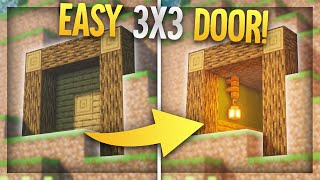
Video: Minecraft Java 1.21+ | Very Compact and small 3x3 Piston door! | Easy Tutorial by PCraft
How to build it
- Mark the 3-Block Floor & Dig Underneath
Mark out the 3-block wide floor line where your 3x3 doorway will sit. Dig a narrow 1-block thick trench underneath this floor line (at least two blocks below the floor blocks) to house the bottom double piston extender.
- Build the Lower Observer & Dropper Base
Two blocks below the floor level, place a solid building block with a dropper next to it on the left, plus two observers to form the lower trigger chain. Place another building block to the left with a piece of redstone dust on top, then add two more observers next to them to carry the pulse upward.
- Install the Bottom Sticky Pistons
Set up four sticky pistons in the bottom section: two facing straight up to act as the vertical double piston extender for the center block, and two positioned to handle the lower door blocks. Place the three bottom door blocks across the front of these pistons to form the floor level.
- Add the Right-Side Regular Piston & Lower Side Pistons
On the right side of the frame, place two building blocks and a regular piston facing downward. Fill the gap underneath with an observer and two sticky pistons facing inward toward the doorway.
- Wire the Right Side & Upper Right Pistons
Place a building block on the outer side of the downward-facing regular piston and put redstone dust on top of it. Place an observer reading that redstone dust, then stack two inward-facing sticky pistons on top of the observer with their door blocks attached in front (re-place any blocks that get pushed out of position when the observer fires).
- Install the Left Side Pistons & Dust Line
Make sure the two inward-facing sticky pistons on the left wall are in place with their door blocks. Use a temporary block on the upper-left side to arrange three solid building blocks stepping up the side, and place redstone dust on top of all three blocks.
- Set Up the Top Dropper & Input Lever
Above the right-side pistons, place a second dropper with an observer in front of it. Put a piece of redstone dust on top of this dropper, place two observers alongside it across the top, and cap the redstone dust with a solid building block that has your lever attached to the side.
- Add Top Repeaters & Downward Sticky Pistons
Place two redstone repeaters on top of the upper observers—leave the first repeater on 1 tick and right-click the second repeater three times (4-tick delay). Use a temporary block at the end of the top line to place an observer facing into the top assembly, remove the temporary block, and attach the final two downward-facing sticky pistons with the top two door blocks below them.
How it works
Because every component stays aligned within the same 1-block plane, this 3x3 door sends signals around the frame using observers and droppers instead of wide dust loops:
- Input & Top Section: Flipping the lever powers the solid block and the redstone dust right below it. That dust activates the upper dropper and sends a signal through the top observers and the two repeaters (one at 1 tick, one at 4 ticks) to sequence the top downward-facing sticky pistons.
- Right Wall to Bottom Transfer: The signal travels down the right side where a downward-facing regular piston and observer chain pass the update into the bottom trench beneath the doorway.
- Bottom Double Piston Extender: In the trench, the lower dropper and four-observer chain fire the vertical pair of sticky pistons in sequence. During closing, they push the center door block up two spaces into the middle of the 3x3 frame; during opening, they coordinate with the top assembly to pull and retract the center block flush with the floor.
- Left Wall Synchronization: The 3-dust staircase on the upper-left connects the top circuit to the left-side sticky pistons via quasi-connectivity and block updates so both sides close and open together.
Tips & variations
- Don't spam the lever: Always wait for the opening or closing animation to completely finish before flipping the lever again. Toggling the input while the observers and double extender are still firing will desynchronize the center block.
- Remote activation: You don't have to keep the lever directly on the top-right input block. As shown at the end of the tutorial, you can remove the lever and run a redstone repeater directly into that same top building block from a remote wall switch.
- Fixing construction triggers: Placing observers next to powered or updated blocks during construction will briefly fire the nearby pistons. Simply break and re-place any displaced door blocks before moving to the next step.
- Java Edition only: This build relies on Java Edition piston update behavior, single-tick observer spitting, and quasi-connectivity; it will not function properly in Bedrock Edition.