
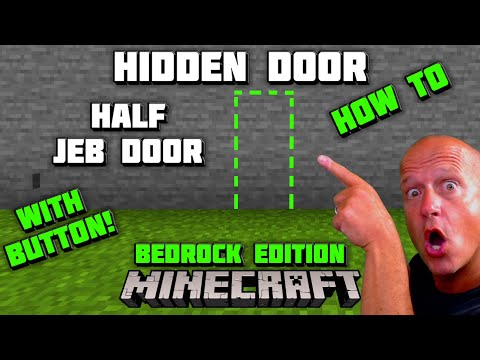
Video: Minecraft HIDDEN DOOR - WITH BUTTON - 1x2 Flush Piston Door - Half JEB DOOR by EyeWillPlay
How to build it
- Build the 1x2 Door Frame
Construct a 3-block-wide, 3-block-tall doorframe leaving a 1-wide by 2-tall opening in the center. Extend the surrounding wall outward if you want to visualize how the flush entrance blends in.
- Place the Glass Staircase
Go behind the doorframe. On the right side of the frame's back, place one glass block at the bottom right corner, a second glass block at the top right corner, and a third glass block at the top left corner.
- Add the Upper Support Blocks
Place one solid building block directly between the two upper glass blocks. Place a temporary block in front of the top-right glass block, put a solid building block on top of that temporary block, and break the temporary block.
- Position the Six Sticky Pistons
Move to the left side of the frame (viewed from the back), leaving a one-block gap behind the wall. Place a 2x2 grid of four sticky pistons facing horizontally toward the doorway. Then stand inside the doorway facing the back and place two more sticky pistons against the inner side of those pistons so they face forward toward the wall opening.
- Insert the Door Blocks and Backing
Place two wall-matching blocks directly in front of the two forward-facing sticky pistons; these will form your hidden door. Go around to the back of the 2x2 piston bank and place two solid blocks horizontally behind the middle row of pistons.
- Run the Glass Redstone Line
At the back right of the build, place redstone dust on the ground next to the bottom glass block, one behind it, and one behind the glass block to link the lower corner. Run redstone dust up onto the lower glass block, onto the solid block next to it, and up onto the top glass block.
- Install the 4-Tick Repeater and Piston Wiring
On the top solid block between the upper glass blocks, place a redstone repeater pointing toward the sticky pistons and set it to 4 ticks (three clicks). Place redstone dust in front of the repeater, on top of the nearest upper sticky piston, and on top of the two solid blocks resting behind the piston bank.
- Invert the Door with a Redstone Torch
Behind the build at ground level, place a solid block directly to the right of your bottom redstone dust (two blocks away from the bottom glass). Attach a redstone torch to the back of this block; the redstone line will power on and push the door shut into a flush position.
- Build the Comparator Pulse Extender
Place a line of three redstone dust leading away from the block holding the redstone torch. At the end of that line, place a redstone comparator facing into a solid block, place redstone dust beside that block, and place a second comparator alongside the first one facing the opposite direction to complete the decay loop.
- Attach the Inside and Outside Buttons
Place your outside button on the front wall directly opposite the block at the end of the comparator loop, and place your inside button directly on the back of the torch block. Press either button to verify the door retracts smoothly and waits several seconds before closing.
How it works
This circuit combines a classic ABBA piston sequence with a signal inverter and a pulse extender:
- Default Closed State: The redstone torch continuously powers the dust line running up the glass staircase and across the 4-tick repeater, keeping both sets of sticky pistons extended so the two door blocks sit completely flush with the exterior wall.
- Opening Sequence (ABBA): When a button is pressed, it powers the block holding the redstone torch, turning the torch off. The un-delayed line leading up the glass unpowers the forward-facing pistons first so they pull the door blocks back into the frame. Four ticks later, the redstone repeater turns off, allowing the side-facing 2x2 sticky pistons to retract both the forward pistons and the door blocks out of the doorway.
- Pulse Extension & Closing: The button pulse simultaneously charges the two-comparator loop. Because comparators reduce signal strength by 1 each cycle through the loop, the signal takes a few seconds to decay to zero. Once it fades completely, the redstone torch turns back on. The side pistons push the assembly into the doorway first, and 4 ticks later the front pistons push the blocks flush into the wall.
Tips & variations
- Why Glass Matters: In Bedrock Edition, glass acts as a transparent conductor that allows redstone signal to travel diagonally upward without cutting off adjacent wires or powering pistons in the wrong order. Do not replace the three glass blocks with solid blocks.
- Camouflage the Button: Use a stone button on a stone wall (or matching wood on wood) so the trigger blends almost invisibly into the surface.
- Super-Hidden Trigger Variant: You can cover the exterior button with an extra layer of wall blocks. When you want to enter, break the covering block, press the button, and replace the block—the comparator pulse extender gives you plenty of time to finish before the door closes.
- Bedrock Edition Specifics: This wiring relies on Bedrock redstone dust automatically connecting onto the top of pistons and redirecting into the torch block without needing Java quasi-connectivity.


