
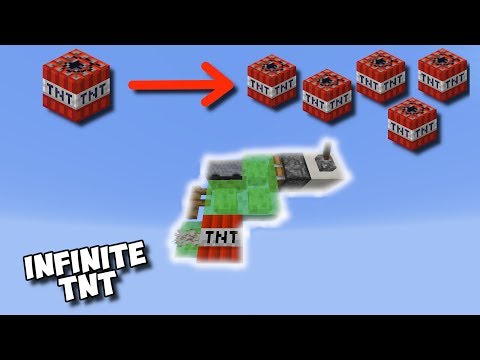
Video: EASIEST TNT DUPLICATOR IN MINECRAFT by Farzy
How to build it
- Pillar Above Your Target
Find the spot you want to blow up and pillar straight up about 15 to 20 blocks so the machine sits safely out of blast range. Remove the lower pillar blocks once you have your top starting block in place.
- Build the First L-Shape
Place one slime block on top of your starting block, a second slime block to the right of it, and a third slime block on top of that second one to form a small L-shape. Break the temporary solid block underneath the first slime block.
- Add the Fence, TNT, and Coral Fan
Place a fence on top of the highest slime block. Place your single TNT block directly underneath the fence (in the inner corner of the L), and attach a dead coral fan to the side of the lower slime block right next to the TNT.
- Build the Second Slime L-Shape
Starting from the right side of the fence, attach two slime blocks going out to the right, then place one more slime block on top of the far-right block to create a second L-shape.
- Place the Detector Rail and Minecart
Put a detector rail on top of the slime block directly to the right of the fence. Set a regular minecart on top of that detector rail.
- Install the Sticky Piston and Lever
Move to the highest slime block on the far right, extend two temporary building blocks out to the right, and break the inner block closer to the slime. Place a sticky piston in that gap facing left into the top slime block, and attach a lever to the remaining solid block behind the piston.
- Prime and Fire the Duplicator
Flick the lever on to push the slime structure forward, then flick it back and forth repeatedly. Each cycle will duplicate and drop a lit TNT block straight down onto your target.
How it works
This circuit relies on a specific block-update order and piston push physics in Java Edition:
- Detector Rail Powering: The
minecartsitting on thedetector-railkeeps the rail continuously activated, providing a movable power source attached to the upper slime assembly. - Piston Extension & Update Order: When you toggle the
lever, thesticky-pistonpushes and pulls the entire 6-slime-block structure along with thefence,tnt, anddead coral fan. - Duplication Glitch: During the movement phase, the
tntis updated by the adjacent powereddetector-railand the shiftingdead coral fanat the exact moment it is being moved. This causes the game to spawn a primed TNT entity while also keeping the original TNT block intact in its new position.
Tips & variations
- Build High Enough: Always build at least 15 blocks above the ground; if the ground is too close, the explosion from the first dropped TNT will destroy your slime blocks and minecart.
- Do Not Place TNT Next to a Live Rail First: Follow the exact build order—place the TNT and coral fan before installing the detector rail and minecart, otherwise you might accidentally ignite your only TNT before the machine is ready.
- Automating the Duplicator: Instead of flicking the lever manually, you can replace the lever with a simple redstone clock (such as two observers facing each other or a repeater clock) for hands-free excavation.
- Java Edition Only: TNT duplication using dead coral fans and piston update order is a Java Edition mechanic and will not work on Bedrock Edition.


